Chart tools that show their working.
Indicators and trade panels, built one at a time. Every page here says what the tool draws, what it will not do, and where its limits are - so you know what you are installing before you pay for it.
SignalSift App
Live readings for 14 forex, metals and crypto markets on five timeframes - technical rating, trend, AI reading, Candle X-Ray Strength and Trend Retest Zones - with alerts on your phone, also with the screen off. 3-day free trial.
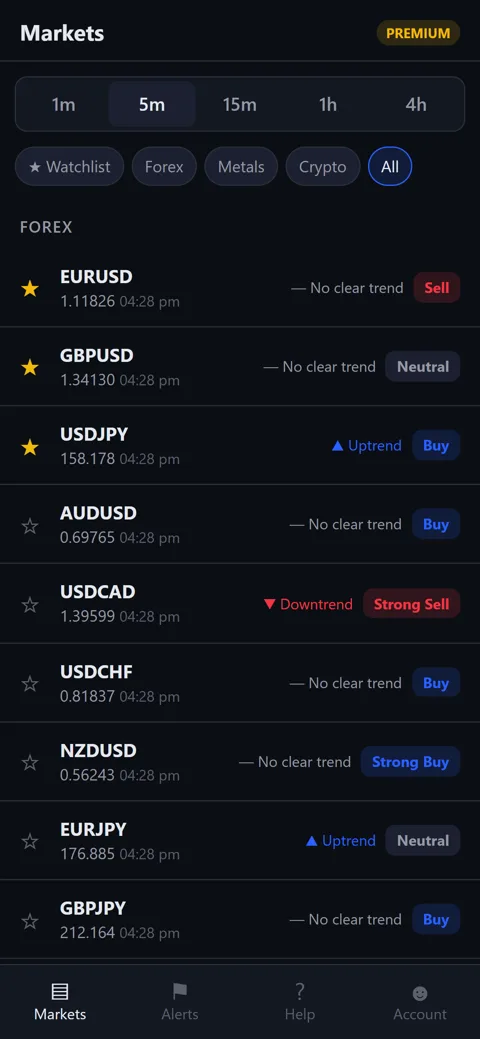
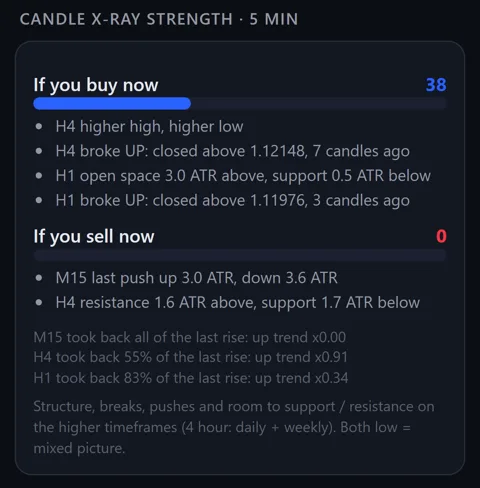
The tools
Seven so far. Each one runs on a chart, keeps its own settings, and does not place trades unless it is a panel you press yourself.
Loading the tool list...
How buying works
The chart tools are not sold on this website. They go through the official stores, which handle payment, licensing and updates for you. The SignalSift App is the one exception: its subscription is paid inside the app.
Try it first
Every paid MetaTrader tool has a free demo that runs in the Strategy Tester. Download it from its store page and watch it work on your own charts before spending anything.
Buy on the store
Payment goes to the MQL5 Market or the cTrader Store, not to us. Your licence, your activations and every future update stay in your own account there.
Install from the terminal
Open the Market tab inside MetaTrader 5, log in, and the tool appears in your Navigator. Nothing is copied by hand and nothing needs to be unblocked.
What these tools are, and are not
- They read the chart and mark what they find. None of them predicts price.
- Signals are drawn on closed candles and do not repaint. Where a live mode exists, the page for that tool says so, and says that live marks can still change.
- An arrow is a place to look, not a reason to trade. Confirm it with your own analysis and use proper risk management.
- No profit figures, no win rates and no account results are published here, because none of them would tell you what your own trading will do.
- The trade panel places orders only when you press a button. It has no opinion about direction.
Questions before you buy
Ask about a symbol, a timeframe, a broker or a setting, and you will get a straight answer - including when the answer is that the tool is not a good fit.